












7 Tips for Iphone-Compatible Baby Monitors


To get the best iPhone-compatible baby monitor, pick one with clear HD video and night vision so you won’t miss a thing, even in low light. Make sure your Wi-Fi is strong and secure to avoid interruptions and protect your family’s privacy. Use two-way audio to soothe your baby remotely and enable motion and sound alerts for instant notifications. Choose apps that work with multiple iOS devices and keep everything updated for top security and performance. Keep exploring for tips to simplify your monitoring experience.
Table
- Main Points
- Choose a Baby Monitor With High-Definition Video Quality
- Ensure Strong and Secure Wi-Fi Connectivity
- Utilize Two-Way Audio Features for Communication
- Enable Motion and Sound Alerts for Real-Time Monitoring
- Select Monitors Compatible With Multiple Ios Devices
- Use Trusted Third-Party Apps for Enhanced Functionality
- Regularly Update Apps and Firmware for Security and Performance
- Frequently Asked Questions
- Final Thoughts
Main Points
- Choose baby monitors with HD video quality (720p or higher) and infrared night vision for clear, detailed viewing on iPhone screens.
- Ensure strong Wi-Fi connectivity with a dual-band router and update firmware for stable, secure video streaming on iOS devices.
- Opt for two-way audio and customizable motion/sound alerts to receive real-time notifications and communicate via the iPhone app.
- Verify multi-device compatibility and cloud storage support for seamless monitoring on iPhone, iPad, and Mac with secure multi-parent access.
- Prioritize monitors and apps with robust privacy policies, regular updates, and encryption to protect family data and maintain app performance.
Choose a Baby Monitor With High-Definition Video Quality
When you’re monitoring your baby, having clear and detailed visuals is essential, so choosing a baby monitor with high-definition video quality makes a big difference.
Opt for a monitoring device that offers at least 720p resolution to guarantee you see every subtle movement and expression, which brings you peace of mind.
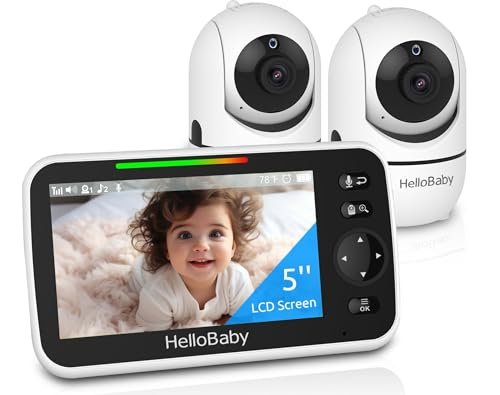
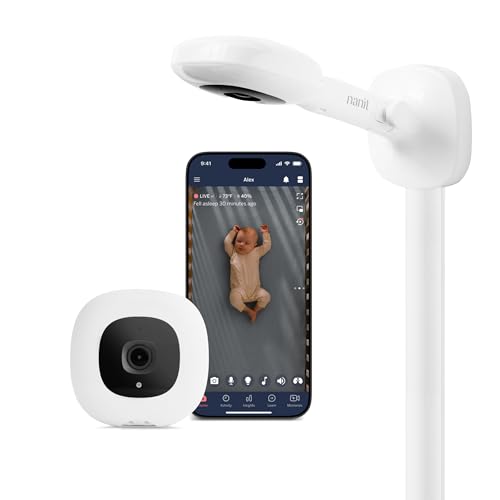
Many iPhone-compatible monitors, like Nanit Plus and Miku, provide HD video streaming that performs well even in low light.
Look for features like infrared night vision so you can watch your baby clearly without disturbing their sleep. Some traditional monitors, such as the Ifamily Baby Monitor, also prioritize exceptional night vision performance to ensure clear monitoring in complete darkness.
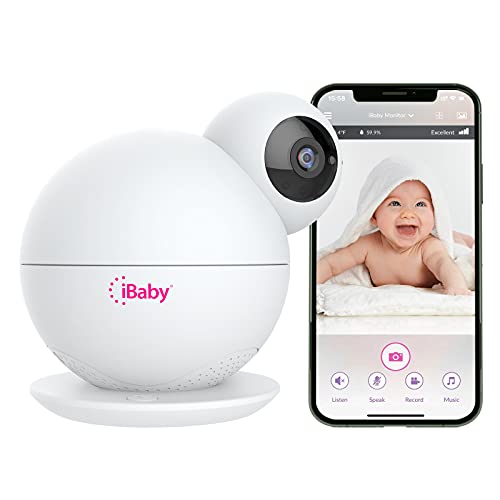
If you want sharper images, consider models with 1080p or higher, such as the iBaby Care Monitor M7.
Investing in high-definition video elevates your baby monitoring experience, helping you serve your little one better.
Ensure Strong and Secure Wi-Fi Connectivity

Although a high-quality baby monitor is essential, it won’t perform well without a strong and secure Wi-Fi connection.
To guarantee uninterrupted monitoring with HD video and clear audio, place your Wi-Fi router close to the baby monitor to reduce interference.
Position your Wi-Fi router near the baby monitor to ensure clear audio and uninterrupted HD video streaming.
Choose a dual-band router supporting both 2.4 GHz for better range and 5 GHz for faster streaming speeds.
Regularly update your router’s firmware to improve security features and prevent connectivity issues.
Use WPA3 encryption on your Wi-Fi network to safeguard your baby monitor’s data from unauthorized access.
If your home has dead zones, consider a Wi-Fi extender to boost signal strength near the baby monitor.
Taking these steps helps you stay reliably connected and focused on caring for your little one.
Utilize Two-Way Audio Features for Communication

You can use two-way audio on your iPhone-compatible baby monitor to soothe your baby from another room, offering comfort without needing to be there physically.
Setting it up is simple, and with clear sound quality, you’ll feel connected even when apart.
Try singing lullabies or speaking softly to help your little one relax and strengthen your bond.
Benefits of Two-Way Audio
Because two-way audio lets you communicate with your baby in real time, you can provide comfort and reassurance without disturbing their space. This feature on iPhone-compatible baby monitors empowers you to soothe your little one from a distance while promoting independent sleep. Thanks to sound and motion detection, you’ll receive timely alerts that make two-way communication even more effective.
Here’s how two-way audio benefits you as a parent:
- Enables quick, real-time communication to calm your baby without entering the room.
- Helps you respond to subtle sounds like breathing or cooing, ensuring timely care.
- Supports nighttime soothing, reducing stress for both you and your baby.
- Offers interactive parenting through easy-to-use apps and devices, enhancing connection even when apart.
With two-way audio, baby monitors become more than just tools—they help you nurture your child thoughtfully and effectively.
Setup and Usage Tips
Many iPhone-compatible baby monitors come equipped with two-way audio features that make comforting your baby easier than ever.
To get the most from the two-way talk function, start by enabling microphones and speakers on both your iPhone and the monitoring device. During setup and usage, test the two-way audio within the monitoring app to guarantee clear sound and minimal delay.
This lets you soothe your baby remotely using live video and audio without disturbing the baby’s room environment. Keep in mind, Wi-Fi strength and distance between devices can impact communication quality.
By properly configuring these settings, you’ll confidently use two-way talk to comfort your little one whenever needed, enhancing your connection and peace of mind throughout monitoring.
Enhancing Soothing Communication
When you use the two-way audio features on your iPhone-compatible baby monitor, you create a comforting connection that helps soothe your baby from anywhere in your home.
This real-time audio lets you communicate instantly, offering reassurance through your voice. Baby monitor apps like Cloud Baby Monitor and Baby Monitor 3G make this seamless over Wi-Fi or cellular networks.
To make the most of two-way audio:
- Speak softly to calm fussiness with familiar sounds.
- Respond promptly to your baby’s cues to build secure attachment.
- Encourage self-soothing by gently interacting without rushing to the room.
- Use the feature to boost your parenting confidence by staying connected anytime.
Using two-way audio thoughtfully strengthens your bond and supports your baby’s emotional well-being.
Enable Motion and Sound Alerts for Real-Time Monitoring

Although you may not always be in the same room, enabling motion and sound alerts on your iPhone-compatible baby monitor guarantees you stay instantly informed about your baby's movements and sounds.
By activating motion alerts in your baby monitor app, you receive real-time notifications whenever your little one stirs, helping you respond swiftly to their needs.
Activate motion alerts to get instant notifications when your baby moves, enabling quick and attentive care.
Sound alerts notify you of cries or unusual noises, providing peace of mind even when you're away from the nursery.
You can customize sensitivity levels to reduce false alarms while making sure important events don’t go unnoticed.
Don’t forget to check app settings regularly to keep alerts functioning properly.
Leveraging cloud-based features guarantees you get notifications anytime, anywhere, even without home Wi-Fi, so you’re always connected to your baby.
Select Monitors Compatible With Multiple Ios Devices

Staying connected through motion and sound alerts is just one part of effective baby monitoring.
To truly serve your family, choose baby monitors compatible with multiple iOS devices. This guarantees everyone stays updated without hassle. Many leading monitors also offer secure 2.4GHz FHSS technology, giving you added privacy and peace of mind when streaming to your iPhone or iPad.
When selecting, consider these key points:
- Verify the monitor supports an iOS app downloadable on iPhone, iPad, and Mac for easy access.
- Look for multi-parent access, allowing family members to monitor simultaneously without account switching.
- Opt for cloud-based storage to review video footage anytime from any connected iOS device.
- Prioritize video quality to get clear visuals on all devices, helping you respond quickly.
Use Trusted Third-Party Apps for Enhanced Functionality
You’ll want to choose trusted third-party apps that offer features like HD video, two-way audio, and customizable alerts to keep a close eye on your baby.
It’s also important to prioritize apps with strong security and privacy measures to protect your family’s data.
App Features to Consider
When choosing an iPhone-compatible baby monitor app, prioritize features that give you clear, reliable insights into your baby's well-being.
It’s vital to select apps that enhance your ability to care and respond promptly.
Consider these key features:
- High-definition video for sharp, detailed visuals of your baby’s environment.
- Two-way audio to soothe or talk to your baby remotely.
- Night vision capabilities to monitor clearly in low-light conditions.
- Motion detection and remote access so you receive alerts and can check in anytime, anywhere via your iPhone.
These features empower you to stay connected and attentive, helping you respond with confidence and care.
Choose apps that fit these criteria to make monitoring both effective and reassuring.
Security and Privacy
Beyond the features that keep you connected to your baby, protecting your family's privacy and data is just as important. When choosing a security camera app, look for trusted third-party options that use bank-level encryption to safeguard your information from hacking threats. Always review the privacy policy carefully to understand how your data is collected and stored. Opt for apps that allow you to disable notifications if you want to reduce anxiety while maintaining control over your monitoring experience. Multi-parent access with secure logins lets trusted family members check in without compromising privacy. Don’t forget to regularly update the app to benefit from the latest security patches and bug fixes. By prioritizing these steps, you guarantee a safe, reliable way to watch over your little one.
Regularly Update Apps and Firmware for Security and Performance
Since your baby monitor handles sensitive video and audio feeds, keeping its app and firmware up to date is essential for protecting your child's safety.
Regularly updating guarantees your monitoring system stays secure and performs at its best. Here’s why you should prioritize updates:
- Patch security vulnerabilities to prevent unauthorized access and protect your family’s privacy.
- Enhance performance by reducing video latency and improving audio clarity for smoother monitoring.
- Maintain compatibility with your iPhone’s latest operating system to avoid glitches or crashes.
- Access new features like improved motion detection and customization options that make monitoring easier.
Frequently Asked Questions
Can I Use My Iphone as a Baby Monitor?
You can use your iPhone’s capabilities to monitor your baby with apps offering video streaming and audio quality features. Compare apps carefully, considering baby monitor features and security concerns to keep your little one safe and sound.
What Is the Best Baby Monitor That Syncs With a Phone?
You’ll want a baby monitor with excellent video quality, clear sound, strong battery life, and minimal range limitations. Compare app features and prices; the Nanit Plus balances these well, making it a practical, caring choice.
What Is the Best Apple Baby Monitor App?
You’ll love Baby Monitor by VIGI Limited for its top baby monitor features, clear setup instructions, and strong security. Check app comparisons and user reviews to ease monitoring tips and guarantee your little one’s safety and comfort.
Does Apple Make a Baby Monitor?
Apple products don’t offer a dedicated baby monitor, but you can harness wireless technology and monitor compatibility through apps. You'll find baby monitor features, parental controls, and security concerns addressed, helping you protect your little one with care.
Final Thoughts
Choosing the right iPhone-compatible baby monitor can give you peace of mind, especially since 72% of parents say video quality is their top priority. By focusing on features like HD video, secure Wi-Fi, and real-time alerts, you’ll stay connected to your little one no matter where you are. Don’t forget to keep your apps and firmware updated to protect your family and enjoy smooth performance. You’ve got this—your baby’s safety is worth every effort.
If you want to know other articles similar to 7 Tips for Iphone-Compatible Baby Monitors you can visit the Baby Monitors category.
Why Choose Baby Monitors With Motion Detection?

What Are the Best Video Baby Monitors for Large Homes?

What Are the Best Non WiFi Baby Monitors?

7 Tips for Baby Monitors With Thick Walls

Best Baby Monitors With Two-Way Audio Features

5 Best Portable Baby Monitors for Travel

5 Tips for Choosing Baby Monitors for Twins

Best Baby Monitors for Multiple Rooms

10 Tips for Baby Monitors With Temperature Sensors
This is also interesting