




















10 Tips for Baby Monitors With Temperature Sensors


Choose a baby monitor with accurate temperature and humidity sensors, and place it near the crib at room height—away from windows, vents, or heaters—to get reliable readings. Clean its sensor weekly and use alerts to stay informed if temperatures drift outside the safe 68°F–72°F range. Integrate with smart home devices to adjust your nursery’s climate automatically. Watch for signs your baby’s too hot or cold, and maintain battery life for nonstop monitoring. Keep going to discover even more practical tips ensuring your baby’s comfort and safety.
Table
- Main Points
- Choose a Baby Monitor With Accurate Temperature Sensing
- Position Your Monitor for Reliable Temperature Readings
- Regularly Clean the Temperature Sensor
- Use Alerts to Stay Informed About Temperature Changes
- Integrate Temperature Monitoring With Smart Home Devices
- Dress Your Baby According to Room Temperature
- Adjust Room Climate Using Monitor Feedback
- Monitor Temperature Alongside Humidity Levels
- Understand Signs of Overheating or Coldness in Your Baby
- Maintain Battery Life for Continuous Temperature Monitoring
- Frequently Asked Questions
- Final Thoughts
Main Points
- Place the temperature sensor at crib height and away from vents, windows, or heat sources for accurate readings.
- Choose monitors with real-time, humidity-inclusive sensors and secure FHSS technology for reliable and private data transmission.
- Regularly clean the sensor with a dry, lint-free cloth and avoid harsh chemicals to maintain accuracy.
- Integrate the monitor with smart home systems for automated climate control and instant temperature alerts.
- Watch for signs of discomfort like flushed skin or cool neck, and adjust room conditions promptly for baby’s safety.
Choose a Baby Monitor With Accurate Temperature Sensing
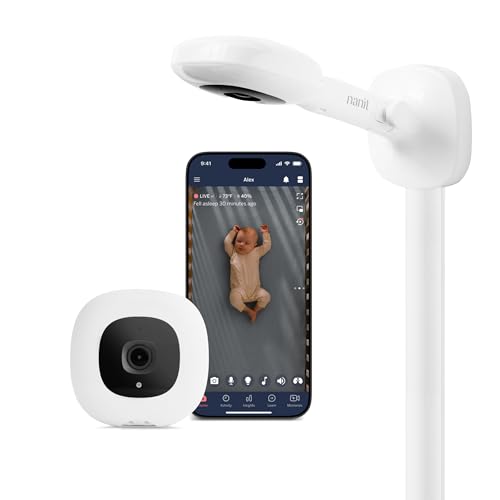
When you’re choosing a baby monitor with temperature sensing, it’s important to pick one that offers real-time, accurate readings within the ideal range of 68°F to 72°F (20°C to 22°C).
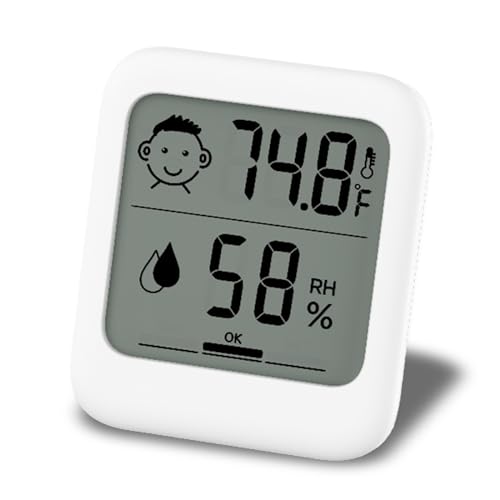
You want temperature sensors that quickly alert you if the room gets too hot or cold, so you can adjust it and keep your baby comfortable. Monitors with humidity monitoring are especially helpful since maintaining 40-60% humidity supports your little one’s breathing and skin health.
Selecting a model with reliable, precise feedback gives you peace of mind, knowing you’re creating a safe sleep environment. Some monitors even sync with smart home systems, letting you check and control conditions remotely. For added confidence, look for models that feature secure FHSS technology to ensure your baby’s data and environment remain private and protected.
By focusing on accuracy and helpful features, you’re truly serving your baby’s needs every step of the way.
Position Your Monitor for Reliable Temperature Readings

You’ll want to place your baby monitor’s sensor at crib height to get the most accurate temperature readings.
Make sure it’s not in direct sunlight or near vents, as that can throw off the measurements.
Also, keep it in a spot with good airflow to help the sensor work properly and keep your baby comfortable.
Optimal Sensor Placement
Placing your baby monitor’s temperature sensor correctly plays an essential role in getting accurate readings of your little one’s environment.
For ideal sensor placement, follow these simple steps to guarantee your baby monitor provides reliable temperature sensors data:
- Position the sensor at crib height to capture your baby’s immediate surroundings accurately.
- Keep it away from vents, drafts, and areas where airflow might be blocked by furniture or walls.
- After rearranging the crib or room, double-check the sensor’s placement to maintain consistent readings. Some baby monitors, like those with real-time temperature alerts, ensure you’re always informed if the nursery environment changes unexpectedly.
- If you have multiple cameras, place each sensor to cover different room areas without overlapping signals.
Avoid Direct Sunlight
Although it might be tempting to set your baby monitor near a sunny window for a clear view, direct sunlight can seriously distort the temperature readings. Heat from sunlight can cause your monitor’s temperature sensors to report higher-than-actual temperatures, leading to unnecessary worries. To avoid direct sunlight, place the baby monitor at crib height but away from windows. Using curtains or blinds can also help keep sunlight out, maintaining accurate readings of your baby's room temperature. Regularly check the monitor’s spot, especially as seasons change, to guarantee reliable monitoring. For even more peace of mind, look for baby monitors that feature built-in temperature sensors and room temperature alerts, as these features help ensure your baby’s environment remains safe and comfortable.
| Positioning Tip | Reason |
|---|---|
| Away from windows | Prevents heat exposure |
| At crib height | Reflects true ambient temperature |
| Use curtains/blinds | Blocks direct sunlight |
| Regular checks | Maintains accuracy over time |
| Consistent placement | Avoids sudden temperature spikes |
Maintain Ventilation Access
Once you’ve kept your baby monitor out of direct sunlight to protect its temperature sensor, the next step is making certain it has plenty of fresh air around it.
Proper ventilation helps your monitor deliver accurate readings to keep your baby safe and comfortable. To maintain unobstructed airflow, follow these tips:
- Position the monitor away from corners and enclosed spaces where heat can build up.
- Keep it at crib height to better monitor the temperature and humidity sensors’ data.
- Avoid placing the monitor near heaters, radiators, or any heat sources that can skew readings.
- Regularly check for blockages like curtains or furniture that could restrict airflow.
For added assurance, consider choosing a monitor with secure transmission technology to prevent interference and maintain reliable monitoring in any room.
This guarantees your baby monitor works reliably, giving you peace of mind.
Regularly Clean the Temperature Sensor

You’ll want to clean your baby monitor’s temperature sensor regularly to keep its readings accurate and reliable.
Just use a dry, lint-free cloth and avoid harsh chemicals that might damage it.
Doing this once a week helps prevent false alerts and keeps your little one’s environment safe and comfortable.
Sensor Maintenance Importance
Because dust and debris can easily affect your baby monitor’s temperature sensor, regularly cleaning it's vital to keep the readings accurate.
Maintaining cleanliness not only guarantees reliable temperature data but also safeguards your baby’s sleep environment. You’ll want to prioritize this simple yet important task to protect your little one’s comfort and health.
Here’s why sensor maintenance matters:
- Prevents dust buildup that skews temperature readings
- Avoids sensor malfunctions that could cause false alarms
- Supports a stable, safe sleep environment between 68°F and 72°F
- Gives you peace of mind knowing the sensor works properly
Cleaning Methods Guide
Keeping your baby monitor’s temperature sensor clean is easier than you might think, and doing it regularly guarantees you get accurate readings every time.
Start with simple cleaning methods: use a soft, lint-free cloth to gently wipe the sensor surface, removing dust and debris. If you notice stubborn spots, dampen the cloth slightly with water or a mild soap solution—just avoid harsh chemicals that could harm the sensor.
Make sure the area around the temperature sensor stays clutter-free to prevent false readings caused by obstructions. Incorporate this routine cleaning into your baby monitor maintenance schedule to keep it functioning perfectly.
By caring for your device this way, you’re ensuring reliable monitoring, which helps you better serve your baby’s comfort and safety every day.
Use Alerts to Stay Informed About Temperature Changes

Temperature alerts on your baby monitor act like a vigilant guardian, keeping you instantly informed if the room gets too hot or too cold.
Using a smart baby monitor with customizable alerts helps you respond fast to temperature changes, protecting your little one’s comfort. For added peace of mind, most monitors provide clear displays of room temperature, so you can always check the nursery environment at a glance.
Here’s how to make the most of these alerts:
- Set alert thresholds within the ideal room temperature range (68°F to 72°F) to catch any unsafe fluctuations.
- Enable push notifications on your smartphone to receive real-time updates, even when you’re away from the nursery.
- Use monitors with visual cues, like color-coded alerts, for quick temperature status checks.
- Regularly calibrate your monitor’s sensor to guarantee accurate readings and reliable alerts.
These steps empower you to maintain a safe, cozy environment for your baby at all times.
Integrate Temperature Monitoring With Smart Home Devices

You can connect your baby monitor’s temperature sensor with your smart home devices to keep your little one comfortable all day.
When the room gets too hot or cold, automated climate control can adjust your thermostat or fans without you lifting a finger.
This seamless integration gives you peace of mind, knowing the nursery stays just right no matter where you are.
Smart Home Compatibility
Although monitoring your baby's comfort is essential, integrating a smart baby monitor with your home's devices takes convenience to the next level.
Smart home compatibility lets you stay connected to your baby’s room temperature from anywhere. Here’s how it helps:
- Receive real-time alerts on your phone if the temperature sensors detect unsafe conditions.
- Use voice commands through smart assistants to check or adjust monitor settings hands-free.
- Seamlessly link the monitor with other smart devices for improved nursery oversight.
- Enjoy peace of mind knowing you can manage your baby’s environment remotely and responsively. Many smart monitors also offer secure communication via 2.4GHz FHSS to ensure your family's privacy while staying connected.
Automated Climate Control
When you connect your baby monitor's temperature sensors to your smart home system, you can automate climate control to keep your little one comfortable without lifting a finger. These smart home devices use real-time data from the temperature sensors to make automated adjustments, ensuring the room stays at the ideal room temperature between 68°F and 72°F. You’ll receive instant alerts if the temperature drifts outside this range, letting you step in when needed. Plus, you can set routines—like lowering the thermostat at bedtime—to support your baby’s sleep quality. This integration not only nurtures your child’s comfort but also helps optimize energy use by reacting to actual temperature changes, rather than fixed schedules. It’s a simple way to provide consistent care while easing your daily worries.
Dress Your Baby According to Room Temperature
Since babies can’t regulate their body temperature well, dressing them according to the room temperature is essential for their comfort and safety.
To help guarantee your baby’s safe sleep, here’s how you can make adjustments:
- Dress your baby in breathable layers, starting with a cotton onesie, suitable for 68°F to 72°F (20°C to 22°C).
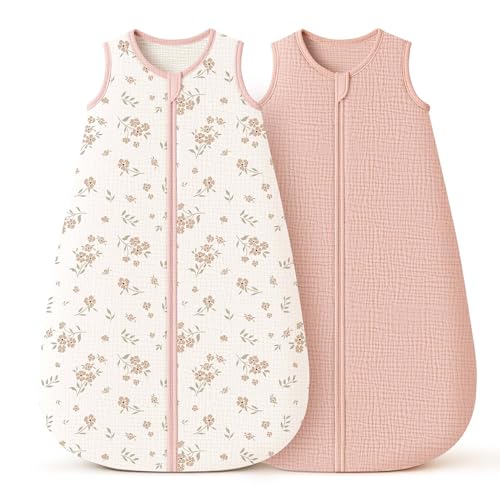
- Use a temperature-appropriate sleep sack or swaddle, adding or removing layers as needed.
- Check your baby’s neck or tummy to feel their temperature—warm and sweaty means they might be too hot, cool means they may need more warmth.
- Adjust clothing seasonally: lighter pajamas for warmer months, thicker sleepwear for colder ones.
Adjust Room Climate Using Monitor Feedback
To keep your baby comfortable and safe, use the temperature sensor feedback from your baby monitor to adjust the room climate precisely.
Baby monitors help you maintain the ideal room temperature between 68°F and 72°F, ensuring a cozy environment for your baby.
When your monitor alerts you that the temperature is too high or low, act quickly—adjust the thermostat, use a fan, or add a safe heater depending on the season.
This real-time data empowers you to create the best environment for your baby’s sleep and play.
Remember to regularly check your monitor’s sensor accuracy to trust its readings.
By responding to temperature and humidity cues, you’re actively nurturing a safe, comfortable space where your little one can thrive.
Monitor Temperature Alongside Humidity Levels
Keeping an eye on both temperature and humidity levels gives you a clearer picture of your baby’s comfort.
Using a baby monitor that tracks these factors helps you create a safe environment for your little one. Many baby monitors offer temperature alerts to let you know immediately if the room conditions become unsafe.
Here’s why monitoring both matters:
- Ideal temperature ranges between 68°F and 72°F keep your baby cozy without overheating.
- Humidity levels between 40% and 60% prevent dry skin and respiratory issues.
- Many smart baby monitors send real-time alerts if temperature or humidity stray from safe ranges.
- Regular monitoring helps avoid sleep disturbances and reduces risks like Sudden Infant Death Syndrome (SIDS).
Understand Signs of Overheating or Coldness in Your Baby
Although you can’t ask your baby how they feel, you can watch for clear signs that show when they’re too hot or too cold. Babies are especially sensitive to temperature changes, so it’s important to Monitor Your Baby’s body temperature to keep their baby’s sleep comfortable and safe. Overheating or chilling can disrupt their rest and cause distress. Here’s a simple guide:
| Signs of Overheating | Signs of Coldness |
|---|---|
| Hot, sweaty skin | Cool touch on neck or tummy |
| Flushed cheeks | Restlessness, disturbed sleep |
| Rapid breathing | Excessive fussiness |
Maintain Battery Life for Continuous Temperature Monitoring
Monitoring your baby's temperature throughout the night helps you catch any signs of discomfort early, but that monitoring only works if your device stays powered.
To maintain battery life and secure reliable performance for continuous temperature monitoring, try these tips:
Maintain battery life and ensure reliable continuous temperature monitoring with these essential tips.
- Use power-saving modes on your baby monitor to extend battery life without sacrificing monitoring quality.
- Perform regular checks and promptly replace batteries if your monitor uses non-rechargeable ones.
- Choose models with long-lasting batteries—some offer up to 60 hours of operation between charges.
- Whenever possible, opt for wired connections to eliminate battery dependency and assure consistent temperature monitoring.
Frequently Asked Questions
Is the Temperature on Baby Monitors Accurate?
You’ll find baby monitor temperature accuracy varies, so use temperature calibration methods and check sensor placement importance. Environmental factors influence readings, so compare monitors in reviews to guarantee you pick one that truly helps keep your baby safe.
How to Fix Temperature on Babysense Monitor?
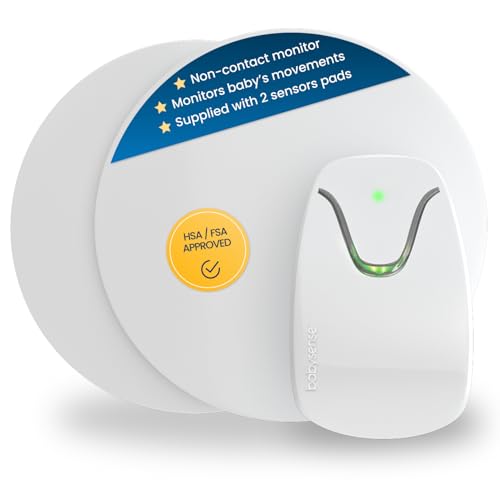
To fix your Babysense monitor, focus on proper sensor placement, avoid drafts, and use recommended calibration methods. Address common malfunctions by replacing batteries and applying troubleshooting tips from the manual to guarantee accurate temperature readings.
How to Monitor Temperature in Baby Room?
Think of your baby’s room like a cozy nest—maintain the ideal temperature between 68°F-72°F using best practices: monitor temperature fluctuations, guarantee good room ventilation, and adjust layers to keep your little one safe and comfy.
Why Is the Temperature Not Accurate on My VTECH Baby Monitor?
You’re likely facing VTech monitor calibration or sensor placement issues causing temperature reading fluctuations. Try repositioning the monitor, updating firmware, and comparing readings with another thermometer—these troubleshooting tips can help you get accurate results for your baby’s comfort.
Final Thoughts
Think of your baby monitor with a temperature sensor as a gentle guardian, quietly watching over your little one’s comfort like a warm breeze or a cool whisper. By choosing wisely, positioning it well, and staying alert to changes, you create a cozy, safe haven. Keep it clean and powered so it never misses a beat, helping you soothe your baby’s world with just the right touch of care and warmth.
If you want to know other articles similar to 10 Tips for Baby Monitors With Temperature Sensors you can visit the Baby Monitors category.
Why Choose Baby Monitors With Motion Detection?

What Are the Best Video Baby Monitors for Large Homes?

What Are the Best Non WiFi Baby Monitors?

7 Tips for Baby Monitors With Thick Walls

Best Baby Monitors With Two-Way Audio Features

5 Best Portable Baby Monitors for Travel

5 Tips for Choosing Baby Monitors for Twins

Best Baby Monitors for Multiple Rooms

7 Tips for Iphone-Compatible Baby Monitors
This is also interesting